 Hyo-nuki
Export any web table to Excel or CSV in one click.
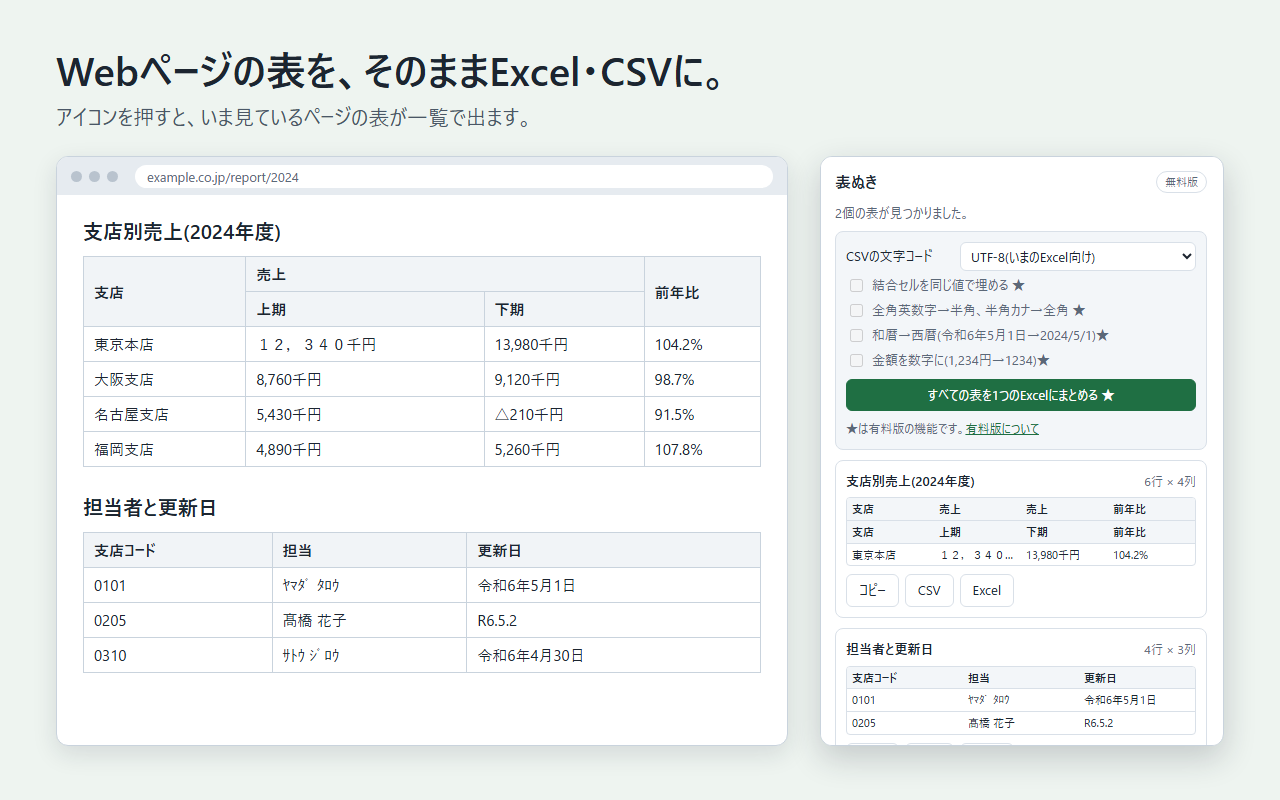
Hyo-nuki finds the tables on the page you are viewing and lets you copy them or save them as Excel or CSV files. No more retyping, and no more fixing a pasted table by hand.
For Chrome on a computer (desktop). The core features are free. No account needed.
The first three steps after installing
- Click “Add to Chrome (free)” to add the extension.
- Click the puzzle-piece icon at the top right of Chrome, then click the pin next to Hyo-nuki to keep it on the toolbar.
- Open a page that has a table (for example, the pricing table below) and click the Hyo-nuki icon.
What it does
- Finds the tables for youClick the icon and every table on the page is listed with a short preview.
- Excel, CSV, or copySave an .xlsx file, a CSV file, or copy and paste straight into a spreadsheet.
- Numbers stay numbers, codes stay textValues such as “0123” or long ID numbers are kept as text, so Excel does not silently change them.
- Nothing leaves your browserTables are read and converted on your own computer. The extension does not send page content anywhere.
What Pro adds
- All tables in one Excel fileEvery table on the page, each on its own sheet.
- Fill merged cellsCells that span rows or columns are repeated, so sorting and pivot tables work.
- Clean numbers“$1,234” becomes 1234 and “(300)” becomes -300, ready for calculation.
- Extras for Japanese dataShift-JIS CSV, full-width/half-width normalization, and Japanese era dates (shown when your browser language is Japanese).
Pricing
| Feature | Free | Pro (one-time JPY 1,480) |
|---|---|---|
| Find and preview tables | Yes | Yes |
| Copy / CSV (UTF-8) / Excel, one table at a time | Yes | Yes |
| All tables in one Excel file | — | Yes |
| Fill merged cells, clean numbers | — | Yes |
Pay once. No subscription. JPY 1,480 (Japanese yen; about US$10 as of October 2026).
Good to know
- It works with real HTML tables. Tables that are images, or text merely laid out to look like a table, cannot be exported.
- Extensions cannot run on browser settings pages or on the Chrome Web Store.
- Use exported data within each website's terms of use and copyright law.